
Operator infrastructure guide · Cold email AI
Inside Our Cold Email Infrastructure Setup: Domains, Mailboxes and a Slow Ramp
AI may assist research organization and drafting. A human editor reviews every published page, checks material claims against the cited sources and owns the final decision. No company paid for placement in this article.
AI use policyAgent-ready brief
AI takeaways
Keep the key points here, or take a source-aware text brief into Claude, ChatGPT or another AI workspace.- 01Never use the primary business domain for bulk cold outreach.
- 02SPF, DKIM and DMARC authenticate identity but do not guarantee inbox placement.
- 03Warm-up traffic and the production cold-send ramp are different operating states.
- 04Monitor mailbox, domain and campaign layers separately and pause on red-zone or sharp comparative decline.
- 05Historical mailbox and send limits are bounded operator experience, not universal safety thresholds.
Cold email infrastructure is a monitored operating system, not a DNS checklist or an inbox-placement guarantee.
01 / architecture in one
The architecture in one view
primary business domain → protected from cold campaignsseparate sending domain/subdomain → DNS authentication → 4–6 mailboxes → sequencer → verified approved list → gradual cold sends → replies/suppression → selective CRM admission| Object | What it is | What it is not |
|---|---|---|
| Registered/root domain | A domain registered and controlled by the business | A mailbox |
| Subdomain | A DNS namespace below a root domain | A separate legal identity or reputation guarantee |
| Mailbox | A sender address hosted by a mail provider | A whole domain |
| Sender identity | Display name, From address, signatures, and accountable person | A disposable disguise |
| Sequencer | Software that schedules messages and processes events | A source of consent or strategy |
| Verification tool | A service that estimates address status | A guarantee that a recipient wants the email |
| Suppression record | Minimum state preventing future contact | A sales lead |
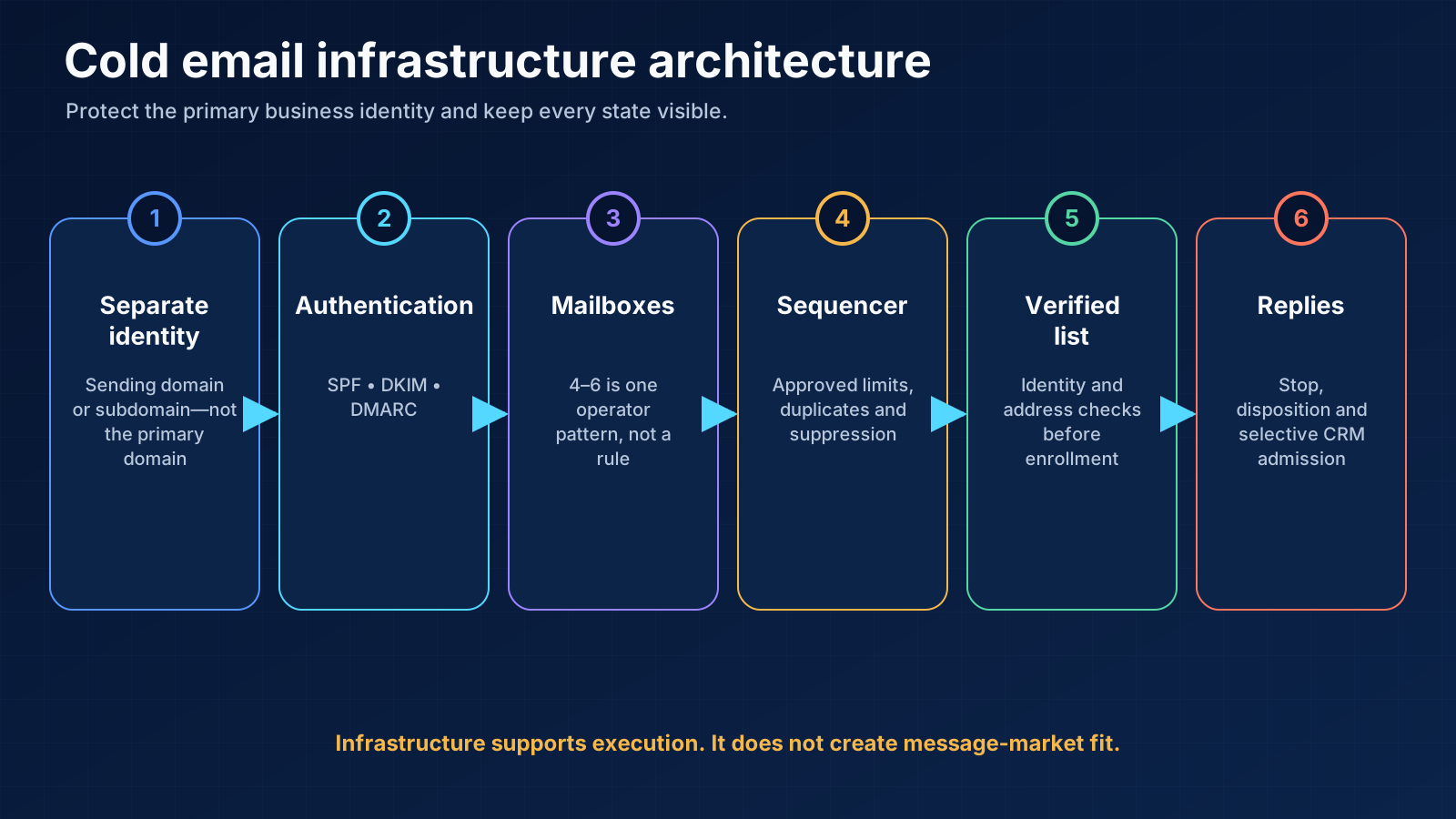
02 / protect the primary
Step 1: protect the primary business domain
- the protected primary domain and critical mail types;
- each sending domain or subdomain and its owner;
- registration and renewal access;
- mailbox provider and admin owner;
- DNS owner;
- sequencer connection;
- sender person and signature;
- permitted campaign and geography;
- status: setup, warm-up, pilot, production, paused, or retired.
03 / choose a domain
Step 2: choose a domain and mailbox model
approved contacts × planned touches = planned production messagesmailboxes × approved cold-send limit × sending days04 / configure SPF DKIM
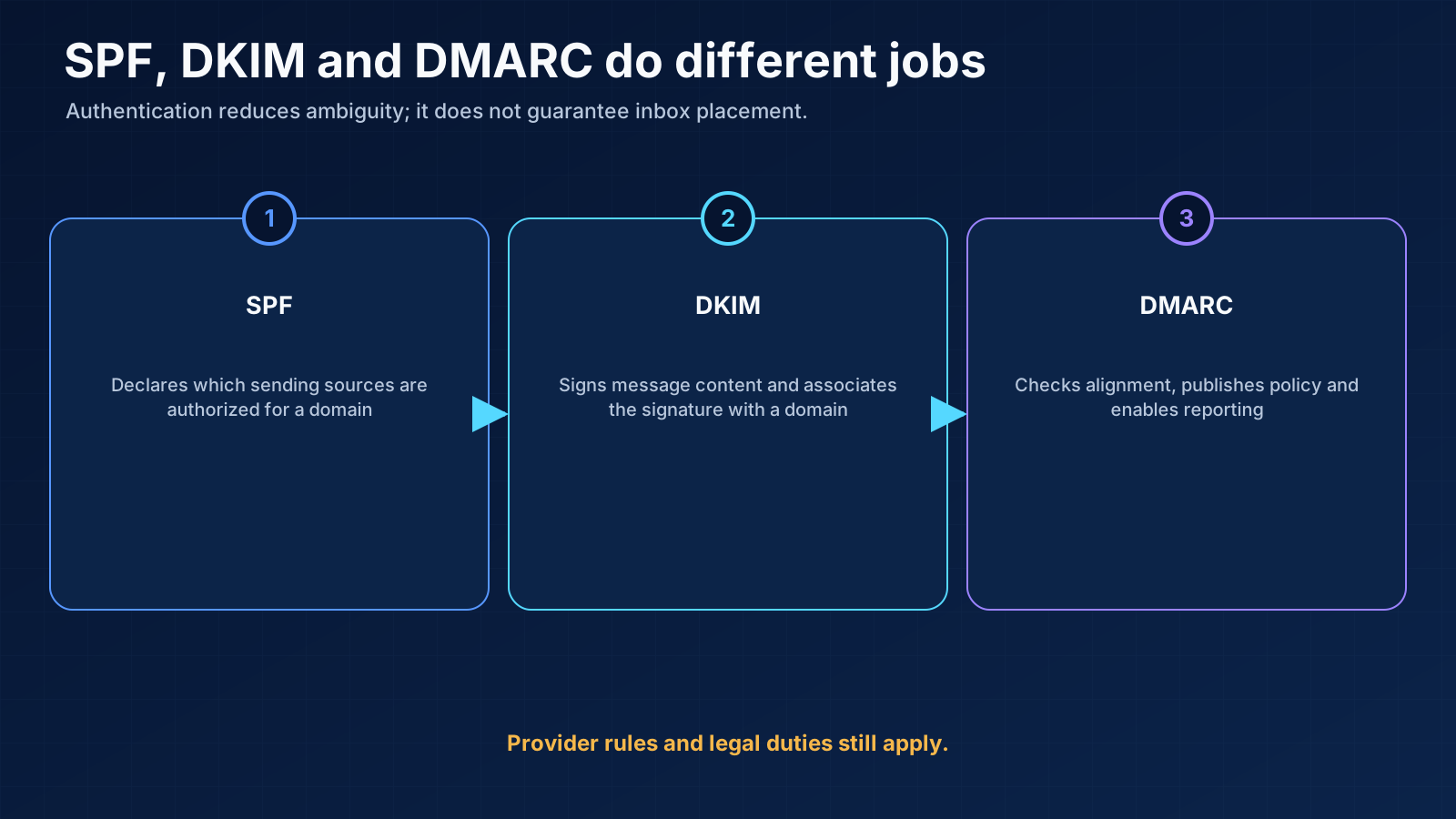
Step 3: configure SPF, DKIM and DMARC with the provider
SPF: who may send for the domain
DKIM: cryptographic domain signing
DMARC: alignment, policy and reporting
Current provider baseline
05 / connect and verify
Step 4: connect and verify every mailbox
- mailbox address and real sender;
- domain/subdomain;
- provider and admin account;
- SPF, DKIM, and DMARC check date;
- sequencer and campaign assignment;
- production daily limit;
- warm-up status if used;
- last health review;
- bounce, deferral, complaint, or warning state;
- pause reason and recovery decision.
- valid ordinary prospect;
- missing first name or company field;
- existing customer;
- duplicate contact in another campaign;
- invalid address;
- unsubscribe/suppressed record;
- OOO reply;
- positive and negative reply;
- mailbox pause while a message is queued.
06 / verify data and
Step 5: verify data and maintain suppression
- explicit unsubscribe;
- hard bounce according to provider definition;
- complaint or abuse signal;
- current customer exclusion where appropriate;
- employee, partner, and competitor exclusions;
- do-not-contact account or person;
- duplicate identity across email variants;
- active opportunity or named-account owner.
07 / separate warm-up from
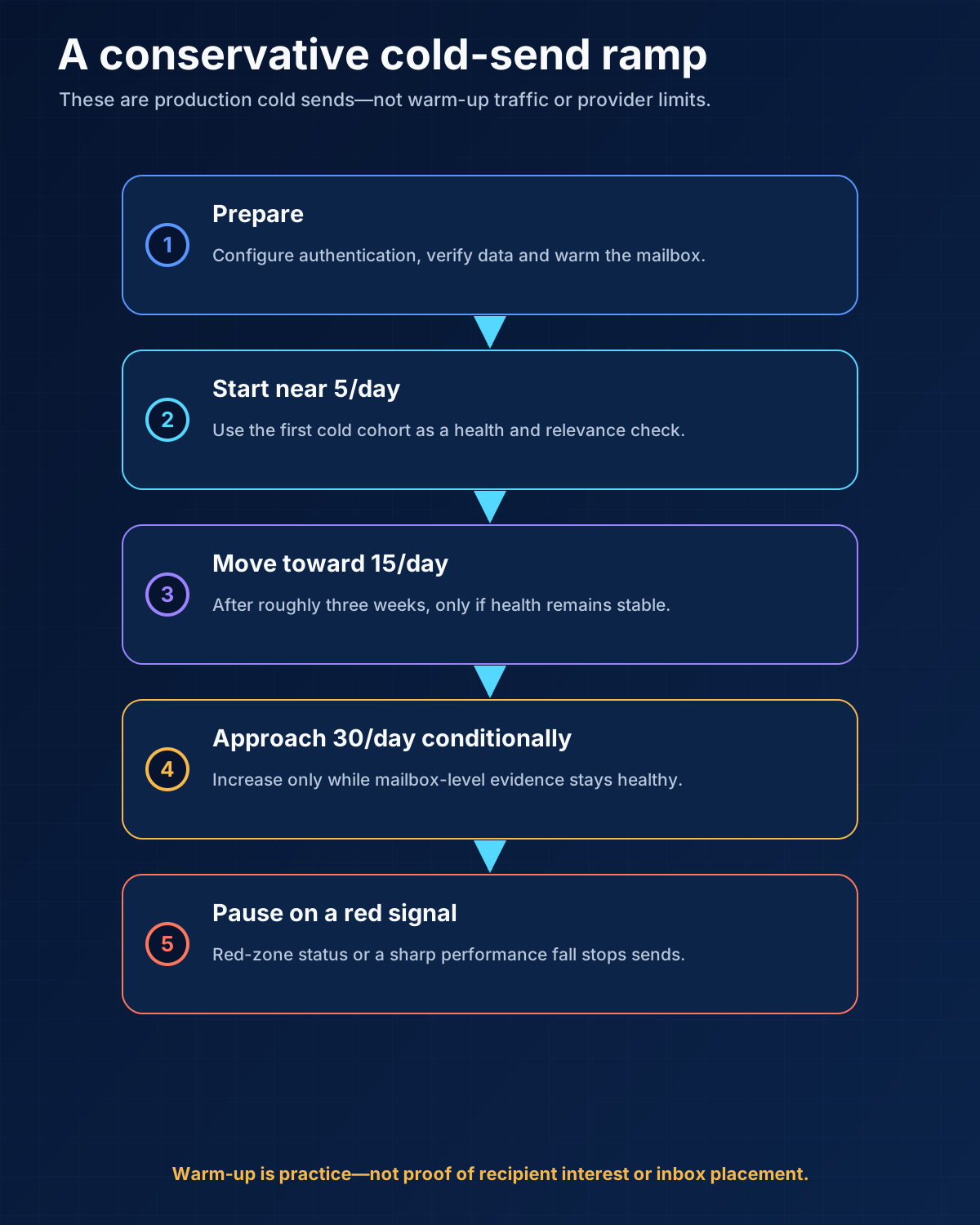
Step 6: separate warm-up from production ramp
| Stage | Cold sends per mailbox per day | Operator action |
|---|---|---|
| Initial production | About 5 | Review every sender, record and message |
| Controlled ramp | Move gradually toward 15 over roughly 3 weeks | Check authentication, bounces, deferrals, replies and mailbox health |
| Healthy upper operating limit | Up to 30 in the observed practice | Only while sender and campaign indicators remain stable |
| Warning state | Reduce or pause | Diagnose mailbox, domain, list, message and provider response |
| Red zone or sharp decline | Stop or replace | Preserve evidence; do not force volume through the identity |
08 / monitor at mailbox
Step 7: monitor at mailbox, domain and campaign level
Mailbox layer
- authentication result;
- delivery errors, bounces, and deferrals;
- mailbox or sequencer health status;
- send volume and sudden changes;
- replies by type;
- provider-specific warnings;
- whether the mailbox is used in multiple campaigns.
Domain or subdomain layer
- DMARC reports and unauthorized sources;
- provider reputation where available;
- spam or complaint signals;
- repeated errors across mailboxes;
- DNS changes and expiration;
- links or tracking domains associated with the sender.
Campaign layer
- approved records and messages sent;
- delivered messages with denominator;
- bounces and deferrals;
- meaningful and positive replies;
- unsubscribe and negative responses;
- held meetings and accepted opportunities;
- list version, message version, and sender allocation.
09 / create pause recovery
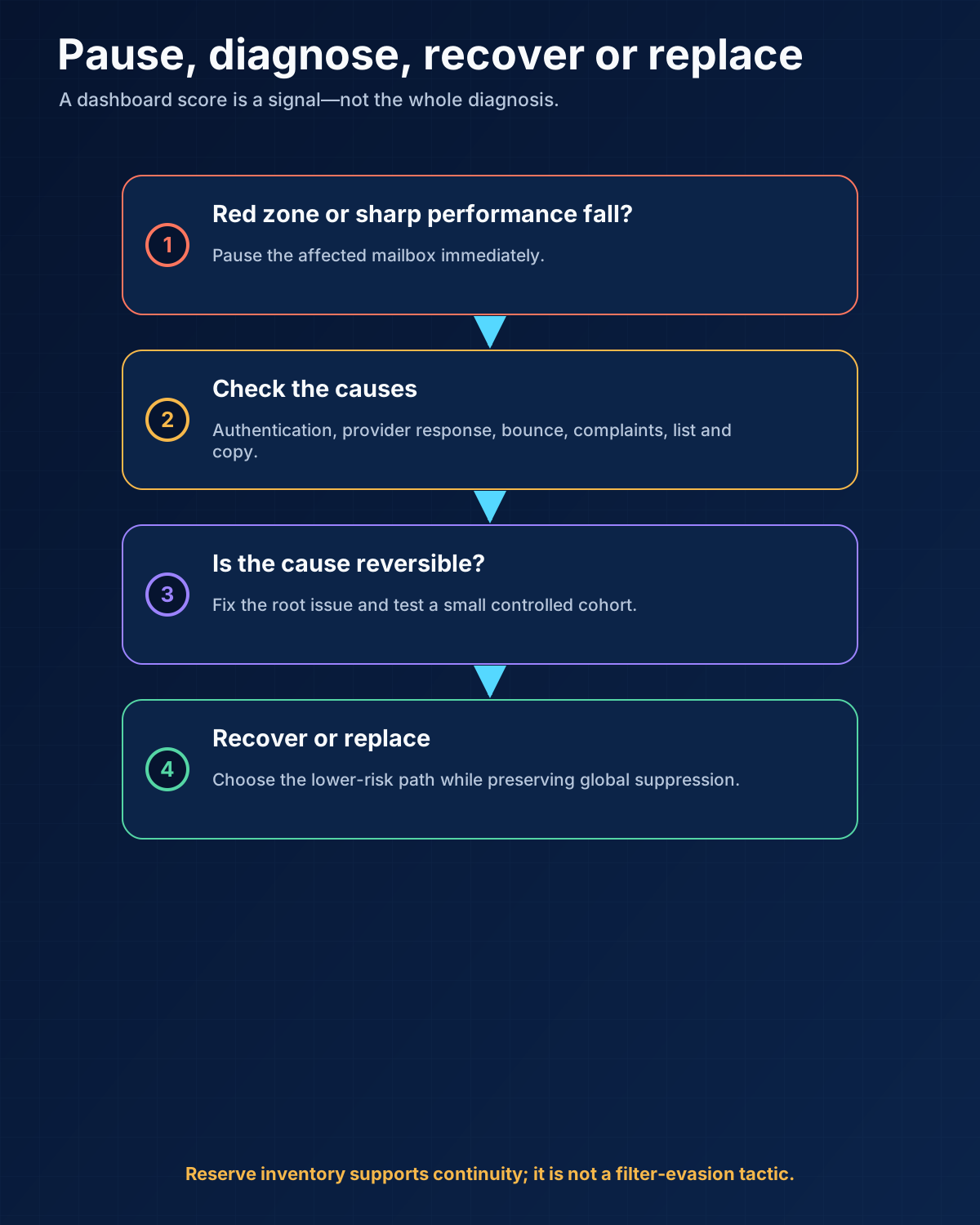
Step 8: create pause, recovery and replacement rules
- What changed: DNS, provider, mailbox, list, message, volume, tracking, or tool?
- Which sender identities are affected?
- What do SMTP and provider responses say?
- Are SPF, DKIM, DMARC, and DNS still correct?
- Did bounces, complaints, or deferrals change?
- Is the issue isolated to one mailbox, domain, provider, or campaign?
- Which messages are queued, and can they be stopped?
- What evidence supports recovery, continued pause, or retirement?
10 / Capacity plans for
Capacity plans for three stages
Stage 1: founder validation
Stage 2: first repeatable outbound motion
Stage 3: ongoing multi-campaign operation
11 / weekly sender audit
A weekly sender audit
- Confirm that no primary-domain mailbox entered a cold campaign.
- Check domain registration and mailbox admin access.
- Review SPF, DKIM, DMARC, and provider alerts after any change.
- Compare each mailbox with its own recent baseline.
- Read bounce and deferral reasons, not only the rate.
- Inspect unsubscribe and suppression propagation.
- Check queued messages after replies or pauses.
- Review sender allocation across campaigns.
- Retire stale copy, links, prices, and proof.
- Record the decision: continue, reduce, pause, diagnose, or retire.
12 / ten infrastructure mistakes
The ten infrastructure mistakes that cause the most avoidable damage
1. Sending cold campaigns from the primary domain
2. Copying DNS records without understanding the provider
3. Treating a green dashboard as end-to-end proof
4. Adding too many mailboxes per domain too early
5. Using a marketing or customer CRM sender for cold bulk mail by default
6. Forcing too many cold sends through one mailbox
7. Sending newsletters to people who never subscribed
8. Assuming warm-up guarantees inbox placement
9. Renting infrastructure without ownership visibility
10. Choosing tools before defining the operating contract
13 / simple incident example
A simple incident example
14 / Preflight checklist
Preflight checklist
Identity and ownership
- The primary business domain is not used for bulk cold campaigns.
- Every sending domain/subdomain has a real owner, renewal access, and accurate identity.
- Every mailbox maps to a real sender and reply owner.
Authentication and provider state
- SPF is published for the actual sender services.
- DKIM signing is enabled and verified.
- DMARC alignment and reporting are understood.
- Forward/reverse DNS and TLS responsibilities are confirmed with the provider where applicable.
- Provider-specific requirements were checked on the launch date.
Data and campaign
- The ICP, exclusions, evidence, and list version are approved.
- Addresses are verified near send time.
- Global suppression and duplicate rules are tested.
- Missing variables cannot create broken copy.
- Every reply stops the sequence and assigns a human.
Ramp and monitoring
- Cold-send limits are separate from warm-up traffic.
- The first batch is fully reviewed.
- Mailbox, domain, and campaign monitoring is active.
- Pause, recovery, and replacement criteria are written.
- Spare inventory is documented rather than improvised during an incident.
15 / Frequently asked questions
Frequently asked questions
How many domains do I need for cold email?
How many mailboxes should be on one domain?
How long should a mailbox warm up?
Is 30 cold emails per mailbox per day safe?
Should I use a subdomain or separate root domain?
When should I replace a mailbox?
16 / Final recommendation
Final recommendation
Research note
Methodology
- 01First-person evidence comes from Anastasiia's seven-plus years operating cold-email sender systems.
- 02The historical scale and ramp numbers describe bounded practice, not guaranteed provider limits or outcomes.
- 03Authentication definitions and current provider expectations are tied to primary standards and Google documentation.
Source ledger
Sources & editorial notes
- 01Email sender guidelines
Google · Official product, platform, provider or standards source used for the bounded claim cited in this guide.
- 02RFC 7208: Sender Policy Framework
IETF · Official product, platform, provider or standards source used for the bounded claim cited in this guide.
- 03RFC 6376: DomainKeys Identified Mail
IETF · Official product, platform, provider or standards source used for the bounded claim cited in this guide.
- 04RFC 7489: DMARC
IETF · Official product, platform, provider or standards source used for the bounded claim cited in this guide.